
What's New
Bandry 1.1: Share Any Post, Show When You're Free, and Stop Losing Posts to the Clock
By the Bandry Team · July 26, 2026 · 6 min read
Bandry 1.1 is live on the App Store. It's the first update since launch, and almost all of it came straight from what people told us in the first days: let me send a post to someone who isn't on Bandry yet, let me say when I'm actually free, and stop letting a good post quietly age out while I'm not looking.
Everything here is included in what you already pay, on iPhone, iPad, and the web. Nothing moved behind a new tier, because features never get tiered in Bandry. Here's what's new.
Share Any Post, With Anyone
Every post now has a share button. Send one to a bandmate, drop it in the group chat where your scene actually lives, or put it on your story. The person on the other end opens a clean page with the post on it, whether or not they have Bandry, and whether they're on an iPhone, an Android, or a laptop. No account required to read it.
When the link lands in Messages or on social, it unfurls into a real card with the post on it, so people see what you're sharing before they tap.
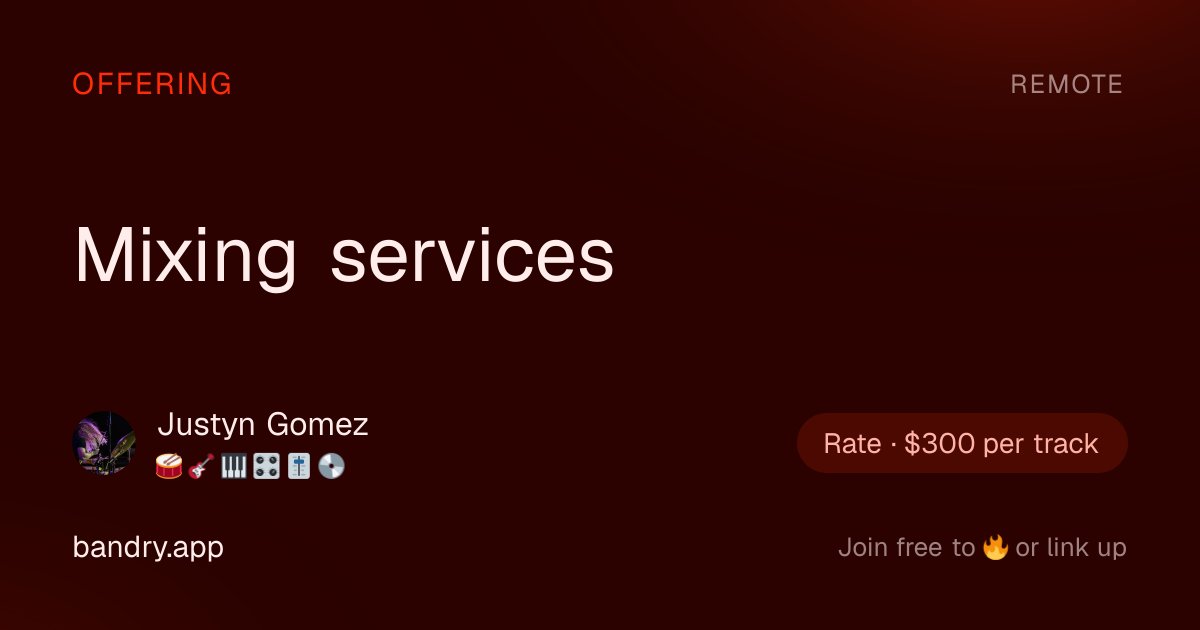
This is the piece that helps a city fill up. A drummer post that only your existing Bandry neighbors can see is worth a lot less than one you can put in front of the three group chats where the drummers in your town already talk. Now the post travels, and the people it reaches land in the same place you did.
The page is deliberately narrow in what it gives away. It shows the post, your name, and your roles. Your contact info is not on it and neither is your location, and anyone who tries to endorse, link up, or tap your name gets sent to sign-up instead. One link resolves exactly one active post, so sharing a post never opens the board to the whole internet.
Say When You're Free
You can now set your profile to Open for work, Booking ahead, or Heads-down right now. It shows as one small marker beside your name, and it saves everyone the round trip of asking. A photographer who's booked through the fall can say so. A mixing engineer with a hole in the schedule this month can say that instead. A drummer who is deep in an album and not taking anything can say that too, without disappearing from the app.
It's optional and it starts off. Until you pick one, nothing appears on your profile anywhere, and you can turn it back off whenever your situation changes. Bandry profiles stay clean by default. You add a signal when it helps you, not because a form demanded it.
Nothing Expires Out From Under You
Posts come off the board after 30 days so the boards stay honest. The problem was that they came off silently, and plenty of good posts died one day before the person who wrote them would have happily renewed.
Now you get a heads-up the day before, as a push and an email, while there's still time to renew with one tap. It only fires for posts you can still renew, so it never nags you about something you can't act on, and one switch in Settings under Notifications turns off both the push and the email together if you'd rather not hear about it.
Link-Ups Reach You Even When the App Doesn't
When someone taps the link button on your post, they're raising their hand to work with you. That's the moment the whole app exists for, and it was too easy to miss it if you weren't holding your phone.
Bandry now emails you when a link-up comes in. This matters most if you use the web app, where there are no push notifications at all and the only way to know was to go back and check. You'll also get a short welcome when you join and a couple of check-ins during your trial, and every one of those emails tells you exactly where to switch it off. The toggles are in Settings under Notifications on iPhone and iPad, and in your account settings on the web.
Set Your Location Yourself
If you use iCloud Private Relay, a VPN, or a carrier that hides where you are, Bandry couldn't place you. That's a real problem on an app built around local: it meant no local posts in your feed and no way to post locally either.
You can now set your location by hand. Search a city or ZIP with a Maps-style typeahead, pick it, and you're placed. One tap hands it back to your live location when you want that. Local posts and the Resources map both follow whatever you set, so studios, rehearsal rooms, and repair shops show up where you actually are.
Smaller Things You'll Notice
See where a track lives. Showcase covers now wear the mark of the platform hosting them, so an Apple Music link reads differently from a Spotify link at a glance, before you tap.
Bandry links open Bandry. Links in our emails and on our site now open straight in the app when you have it installed, instead of bouncing you through a browser.
Titles show in full. Track and album titles no longer get clipped when a link is unfurled, so a song with quotes or a long name arrives intact. Nobody's title should get chopped in half by our software.
Privacy and Safety, Tightened
Some of this release isn't a feature you tap, it's a promise we made sure the software actually keeps.
Showcase reviews are anonymous, and that's now enforced end to end, so an artist can never work out who reviewed their track. Blocking someone now covers every board, including Showcase and Mixtapes, and stops their reviews from reaching you at all. And when you delete your account, a press kit, or a listing, the photos go with it instead of lingering somewhere.
Keep Telling Us
This update exists because people wrote in. If something's broken, missing, or just annoying, open Settings and tap Send feedback, or email support@bandry.app. Every message gets read, and the pattern so far is simple: the things enough people mention are the things that ship next.
Two things that genuinely help, if the app's earning its place for you. Share a post. Now that posts travel, one link into the right group chat does more for your local scene than anything we can do from here. And leave a review, because on the App Store, ratings decide whether the next musician in your city ever finds this at all.
Rate Bandry on the App Store , or get started if you're just walking in.
Frequently asked questions
How do I get Bandry 1.1?
Update Bandry from the App Store on iPhone or iPad, or just open app.bandry.app in a browser, where the web side is already up to date. Everything in this release is included in your existing subscription or trial. There is no new tier and no extra cost.
Who can see a post I share?
Anyone you send the link to, whether or not they have Bandry. The page shows the post plus your display name and roles, and nothing else. Your phone number, email, and location are never on it. If someone taps the fire, the link button, or your name, they land on the sign-up page instead. Only one specific active post resolves per link, so the board itself stays private.
Does my availability status show if I don't set one?
No. It renders nowhere at all until you choose one, and you can switch it off again any time by choosing Don't show. Bandry adds signals to profiles only when you opt in, because a profile full of noise helps nobody.
Can I turn off the expiry reminders and link-up emails?
Yes. Both live in Settings under Notifications on iPhone and iPad, and in your account settings on the web. The expiry reminder has one switch that governs both the push and the email together, and every email we send explains where to turn it off.
Why would I set my location by hand?
If you use iCloud Private Relay, a VPN, or a carrier that masks your location, the app could not place you, which meant local posts were invisible to you and you could not post locally either. Now you can search a city or ZIP and set it yourself, or hand it back to your live location in one tap. Local posts and the Resources map both follow whatever you set.
How do I ask for a feature or report something broken?
Open Settings in the app and tap Send feedback, or email support@bandry.app. Most of this release came from exactly that. If it bugs you, it probably bugs somebody else, so tell us.